Kimb Jones

Founder at Make Do. We help teams stabilise, improve and support complex WordPress websites and connected systems

  • About me
  • Projects & Work
  • Portfolio
  • WordPress services
  • Events & speaking
  • Contact me

Lessons on not using a CDN and SSL

April 27, 2015 by Kimb Jones

Using a CDN (content delivery network) for the new site was a forgone conclusion, as we assumed it would help us speed things up. But, after testing with a few different CDNs, we uncovered some surprising results.

Via the ThemeFoundry team

Not so long ago we shifted the main Make Do agency site so it used ‘HTTPS everywhere’ and a CDN. SSL performance was the main hurdle we had to come to terms with during the transition – we did however decide keeping both a CDN and SSL was the best option.
Filed Under: Asides, Development

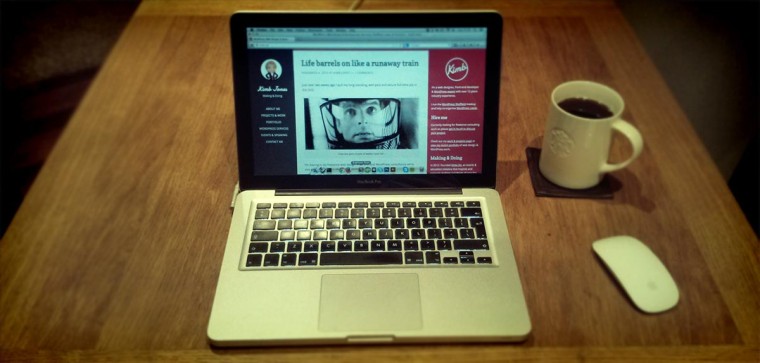
New MacBook Pro!

November 17, 2013 by Kimb Jones

I’ve been rocking a white plastic 2009 model MacBook for a few years, it was my first ever Mac but the poor thing has slowly degraded into being a useless device after upgrading to the latest OSX and has never been really great for doing graphic work on.

New MacBook

A couple of weeks ago I bagged a semi-new MacBook Pro which was pre-loved by my good mate Tony who did an awesome job upgrading it from it’s basic form to a beast that sports 8GB RAM and a 128GB SSD drive alongside the stock 320GB HDD (CD drive has been removed).

The upgrade has totally changed my working model. Before I used Mac for coding/dev and my workstation PC for graphic work. Now I can do everything on one portable machine leaner and faster than before.

I’ll still keep my workstation PC (a beastly Windows machine with an SSD/6GB RAM/1TB HHD) for home media storage, backups and testing but not much else. I’m sad to move away from being totally platform agnostic but as I have no desire to upgrade to Windows 8 I’d have probably ended up using my PC less and less anyway.

And now, the important part:

Essential Apps

  • Path Finder – because OSX’s default Finder sucks
  • Skype – obviously
  • Dropbox – obviously
  • SkyDrive – a new addition, I use this for design resources/assets rather than clog up my Dropbox
  • CrashPlan – backs up my Mac to my PC server, this is then uploaded to the cloud
  • VLC – runs any video
  • CCleaner – because I still like the felling of ‘uninstalling’ apps (doesn’t actually work in OSX Mavericks yet!)
  • FileZilla – because FTP still exists
  • Photoshop & Illustrator – obviously
  • CodeKit, PrePros, Compass.app – for LESS/Sass/Comppass-ing in the GUI
  • DesktopServer – Simplest way to spin up test WordPress sites in minutes
  • Sublime Text – best text editor around (I also have Coda2 floating around)
  • SourceTree – for GUI Git-ing, makes complex branches a lot more easy on the eye
  • Spotify – for cloud music-ing

The rest of my apps for writing/email/productivity are all in the browser (mainly Google powered). I run these in Chrome and run Firefox for general browsing. I swap between Chrome/Firefox for dev.

Filed Under: Design, Development, Personal, Technology

« Previous Page
Kimb Logo

I run Make Do WordPress agency, a technical agency helping teams build, stabilise, improve and support complex WordPress websites, web applications and connected digital platforms.

  • Email
  • LinkedIn

Built by Kimb Jones and powered by WordPress. Jump to top of page.